
How DrawerDrop checks your cart
A headless mobile browser clicks your real Add to Cart button every 30 minutes, checks that the cart drawer opens, and saves a screenshot of any failure.
Store and product setup
Provide your store URL, designated test product, and notification webhook. No tracking scripts or theme modifications are required.
Mobile browser dispatch
A headless mobile browser loads the designated product in an iPhone 14 viewport (390 × 844 Safari), ensuring mobile-specific touch event and layout issues are evaluated.
Real Add to Cart click
The runner executes a real DOM click event on the storefront Add to Cart button, triggering your theme's real cart drawer JavaScript.
Visual drawer verification
The runner checks that the cart drawer opens within 2.5 seconds and confirms that required DOM mutations complete without runtime crashes.
Alert with visual proof
When a failure occurs, a full-page iPhone screenshot is captured and sent via Slack or email with timestamp and diagnostic context.
Visual failure capture
Every failed check records an iPhone 14 screenshot to prove the exact cart state.
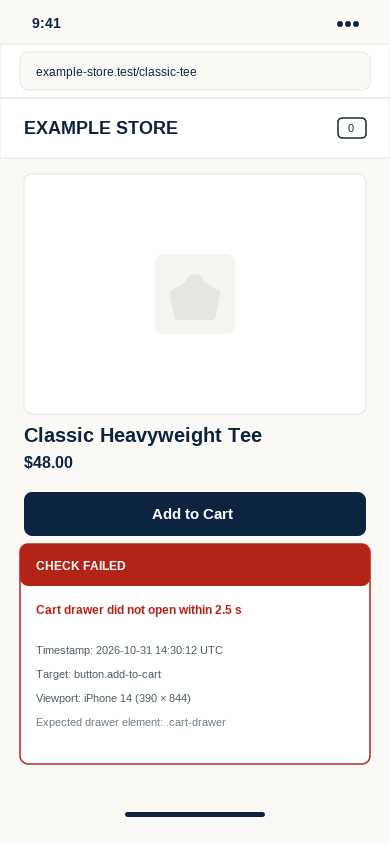
Illustrative example. Real captures show the store and timestamp of the failed run.